
JavaScript Operators Explained: Arithmetic, Comparison, Logical & Assignment
Learn how JavaScript operators work with simple explanations and practical examples, including arithmetic, comparison, logical, and assignment operators.

Introduction
When writing JavaScript code, we constantly perform operations like adding numbers, comparing values, or checking conditions. These operations are made possible using operators.
In simple terms, operators are special symbols that perform operations on values or variables.
For example:
let total = 10 + 5;
Here, the + symbol is an operator that adds two numbers.
JavaScript provides different types of operators that help us perform calculations, compare values, and control program logic.
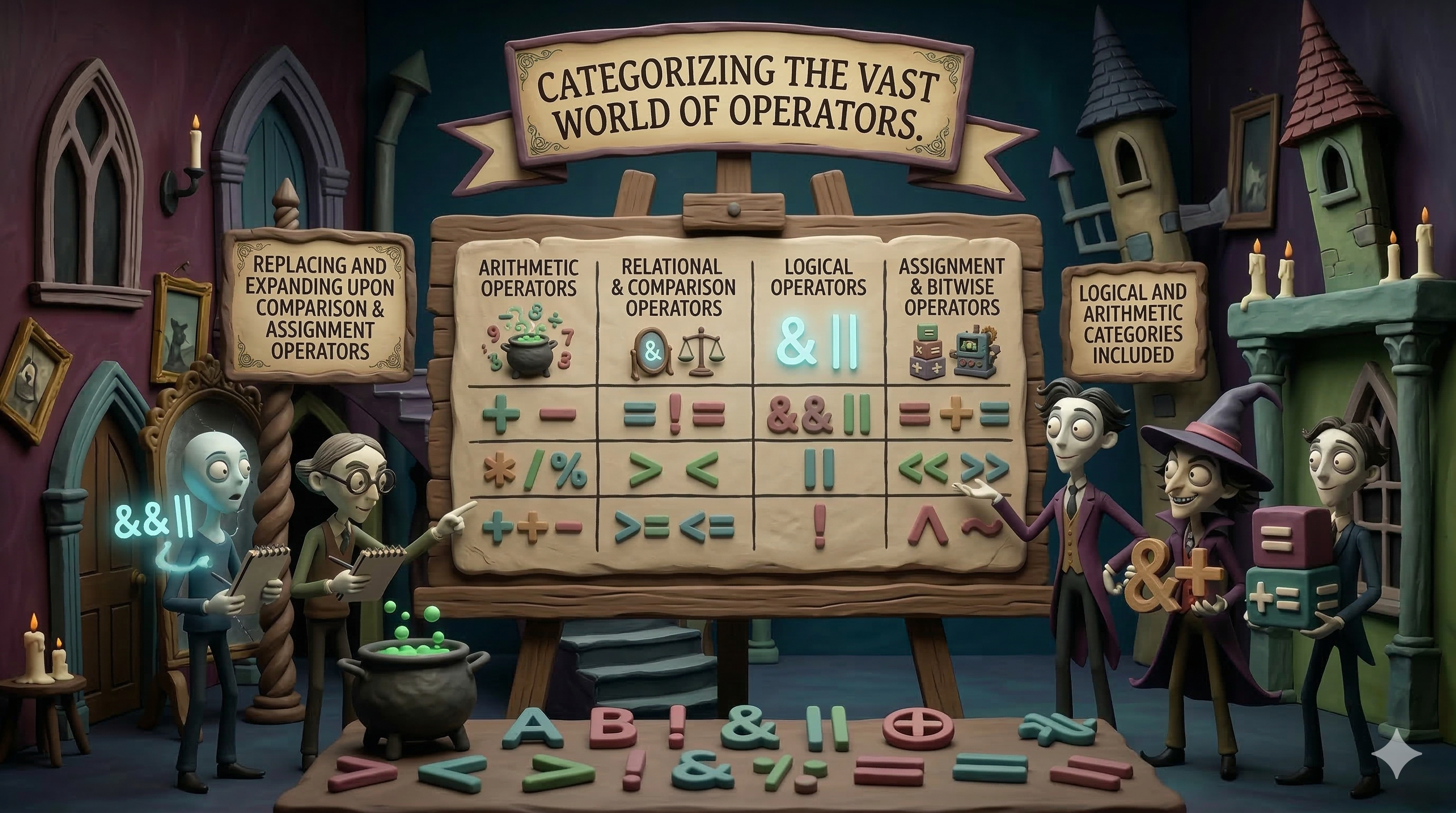
In this article, we will explore some of the most commonly used JavaScript operators:
Arithmetic operators (
+,-,*,/,%)Comparison operators (
==,===,!=,>,<)Logical operators (
&&,||,!)Assignment operators (
=,+=,-=)
By the end of this guide, you will understand how these operators work and how to use them effectively in your JavaScript programs.
Let's start with the most basic and commonly used type of operators in JavaScript — Arithmetic Operators.
Arithmetic Operators
Arithmetic operators are used to perform mathematical calculations on numbers, such as addition, subtraction, multiplication, and division.
1. Addition (+)
The addition operator is used to add two numbers.
let result = 10 + 5;
console.log(result);
Output:
15
2. Subtraction (-)
The subtraction operator is used to subtract one number from another.
let result = 10 - 3;
console.log(result);
Output:
7
3. Multiplication (*)
The multiplication operator is used to multiply two numbers.
let result = 4 * 3;
console.log(result);
Output:
12
4. Division (/)
The division operator divides one number by another.
let result = 20 / 5;
console.log(result);
Output:
4
5. Modulus (%)
The modulus operator returns the remainder after division.
let result = 10 % 3;
console.log(result);
Output:
1
Explanation:
10 ÷ 3 = 3 remainder 1
So the result is 1.
Important Things to Know (Interview Tips)
1️⃣ The + operator can also concatenate strings
If one value is a string, JavaScript converts the other value into a string.
let result = "5" + 2;
console.log(result);
Output:
"52"
This happens because JavaScript performs type coercion.
2️⃣ Division by Zero
In JavaScript, dividing by zero does not cause an error.
let result = 10 / 0;
console.log(result);
Output:
Infinity
3️⃣ Modulus is commonly used to check even or odd numbers
Example:
let num = 6;

if (num % 2 === 0) {
  console.log("Even number");
}
Because an even number divides perfectly by 2.
Arithmetic operators are the foundation of many programming tasks, from basic calculations to complex algorithms.
Understanding them well will make it easier to work with data in JavaScript.
Comparison Operators
Comparison operators are used to compare two values.
They return a boolean result, which means the result will always be either:
true
or
false
1. Equal to (==)
The == operator checks if two values are equal, but it performs type conversion (type coercion) if the types are different.
let result = 5 == "5";
console.log(result);
Output:
true
Explanation:
JavaScript converts "5" (string) into 5 (number), so the comparison becomes 5 == 5.
2. Strict Equal (===)
The === operator checks if both value and type are equal.
let result = 5 === "5";
console.log(result);
Output:
false
Explanation:
5 is a number and "5" is a string, so they are not strictly equal.
3. Not Equal (!=)
The != operator checks if two values are not equal.
let result = 10 != 5;
console.log(result);
Output:
true
4. Greater Than (>)
Checks if the left value is greater than the right value.
let result = 10 > 5;
console.log(result);
Output:
true
5. Less Than (<)
Checks if the left value is less than the right value.
let result = 3 < 8;
console.log(result);
Output:
true
Important Interview Concept
== vs ===
This is one of the most commonly asked JavaScript interview questions.
| Operator | What it checks |
|---|---|
== |
checks value only (type conversion happens) |
=== |
checks value and type |
Example:
console.log(5 == "5");
console.log(5 === "5");
Output:
true
false
Best Practice
In modern JavaScript, developers prefer using === instead of ==.
Reason:
=== avoids unexpected results caused by type coercion.
Example:
0 == false   // true
0 === false  // false
This happens because == tries to convert values before comparison.
Comparison operators are commonly used in conditions and decision making, especially with
ifstatements.
Example :
let age = 18;

if (age >= 18) {
  console.log("You can vote");
}
Logical Operators
Logical operators are used to combine multiple conditions in JavaScript.
They return a boolean value (true or false) depending on whether the conditions are satisfied.
The three main logical operators are:
&&  (AND)
||  (OR)
!   (NOT)
1. Logical AND (&&)
The AND operator returns true only if both conditions are true.
Example
let age = 20;
let hasID = true;

let result = age >= 18 && hasID;

console.log(result);
Output:
true
Explanation:
Both conditions are true, so the result is true.
2. Logical OR (||)
The OR operator returns true if at least one condition is true.
Example
let isWeekend = false;
let isHoliday = true;

let result = isWeekend || isHoliday;

console.log(result);
Output:
true
Explanation:
Even though isWeekend is false, isHoliday is true, so the result is true.
3. Logical NOT (!)
The NOT operator reverses a boolean value.
If the value is true, it becomes false, and vice versa.
Example
let isLoggedIn = true;

console.log(!isLoggedIn);
Output:
false
Explanation:
The NOT operator flips the value.
Important Interview Concept
Short-Circuit Behavior
JavaScript logical operators stop evaluating once the result is determined.
Example:
false && console.log("Hello");
Output:
false
Explanation:
Since the first value is false, JavaScript already knows the result will be false, so the second part is not executed.
Truth table
A | B | NOT A (!A) | A AND B (A && B) | A OR B (A || B) |
True | True | False | True | True |
True | False | False | False | True |
False | True | True | False | True |
False | False | True | False | False |
| Operator | Meaning |
|---|---|
&& |
true if both conditions are true |
| ` | |
! |
reverses the boolean value |
Assignment Operators
Assignment operators are used to assign values to variables.
The most basic assignment operator is:
=
But JavaScript also provides shorter ways to update values using operators like += and -=.
1. Assignment (=)
The = operator assigns a value to a variable.
Example:
let x = 10;
console.log(x);
Output:
10
Explanation:
The value 10 is assigned to the variable x.
2. Addition Assignment (+=)
The += operator adds a value to the variable and then assigns the result back to it.
Example:
let x = 10;

x += 5;

console.log(x);
Output:
15
Explanation:
x = x + 5
So the value becomes 15.
3. Subtraction Assignment (-=)
The -= operator subtracts a value from the variable and updates it.
Example :
let x = 10;

x -= 3;

console.log(x);
Output:
7
Explanation:
x = x - 3
Why These Operators Are Useful
Assignment operators make code shorter and easier to read.
Instead of writing:
x = x + 5;
You can simply write:
x += 5;
This is commonly used when updating counters, totals, or scores in programs.
Practice Assignment
Try these exercises in your browser console.
1️⃣ Arithmetic Practice
let a = 15;
let b = 4;
Find:
a + ba - ba * ba / ba % b
2️⃣ Comparison Practice
Check the results of the following:
console.log(5 == "5");
console.log(5 === "5");
console.log(10 > 8);
console.log(3 < 1);
Try to understand why each result is true or false.
3️⃣ Logical Operator Practice
let age = 20;
let hasTicket = true;
Check if a person can enter the event.
Hint: use &&.
4️⃣ Assignment Operator Practice
let score = 50;
Try:
score += 10score -= 5
Print the result after each step.
Conclusion
JavaScript operators help us perform calculations, compare values, and work with conditions in our programs. In this article, we explored arithmetic, comparison, logical, and assignment operators with simple examples.
Understanding these operators is important because they are used in many parts of JavaScript, including conditions, loops, and everyday programming tasks.
The best way to master them is by practicing the examples and experimenting with your own code. Happy coding! 🚀


